Best App for Site Managers in the UK: What to Look For (And What to Avoid)
Hundreds of construction apps claim to help site managers. Here is what UK site managers actually need, what to avoid, and how to choose the right tool without overpaying.
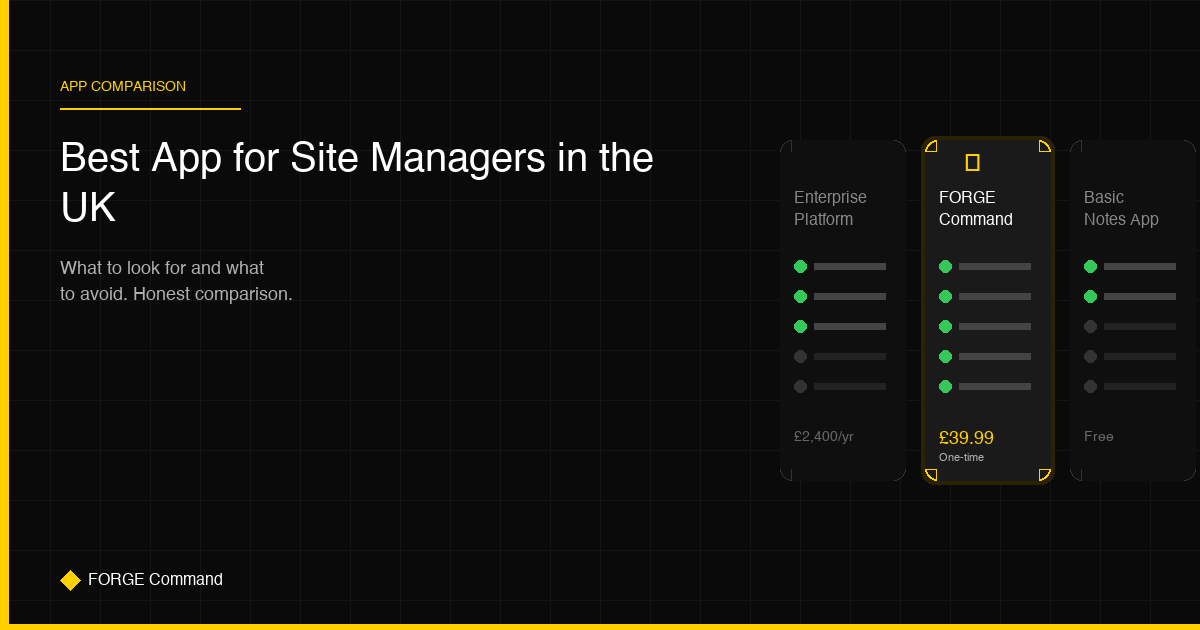
If you search for “construction management app” in the App Store or Google Play, you will find hundreds of results. Enterprise platforms that cost thousands per year. Generic project management tools rebranded with a hard hat icon. Free apps that are really just glorified to-do lists. And somewhere in that mess, there are a handful of apps genuinely built for the reality of managing a UK construction site.
This guide cuts through the noise. We cover what UK site managers actually need from an app, what to watch out for, and how to choose the right tool without getting locked into an expensive contract you do not need.
What UK Site Managers Actually Do (And What They Need From an App)
Before evaluating any app, it helps to be honest about what site management actually involves day-to-day:
- Daily site diary entries — recording weather, workforce, work completed, deliveries, delays, and incidents
- Safety inspections and audits — scaffolding checks, fire safety, CDM walkthroughs, environmental compliance
- Managing subcontractors — coordinating trades, checking inductions, monitoring progress
- Regulatory compliance — understanding and applying building regulations, CDM duties, health and safety law
- Communication — site instructions, RFIs, defect notifications, progress reports to clients and project managers
- Documentation — producing records that stand up to scrutiny from the HSE, insurers, and solicitors
An app that does not address most of these is not a site management app. It is a distraction.
The 5 Must-Have Features
1. Digital Site Diary with Photo Attachments
This is non-negotiable. If the app cannot record a structured daily log with timestamped photos, GPS location, and weather data, it is not fit for purpose. The diary should be exportable as a PDF for client reporting and legal documentation.
2. Inspection and Audit Checklists
Pre-built templates for common UK inspections — scaffolding, excavations, fire safety, plant and equipment, snagging. The ability to attach photos to individual checklist items and flag issues for corrective action is essential.
3. UK Building Regulation Access
How often do you need to quickly check an Approved Document on site? Part B fire safety, Part L energy efficiency, Part M access — having these searchable from your phone saves trips to the site office and avoids guesswork on compliance questions.
4. Offline Functionality
This is the feature that separates apps built for construction from apps built for offices. If your app stops working when you lose signal — and you will lose signal in basements, plant rooms, rural sites, and half the buildings in central London — it is useless when you need it most.
5. Professional Report Export
Everything you record should be exportable as a clean, professional PDF. Site diaries, inspection reports, audit summaries. When the client, QS, or solicitor asks for records, you should be able to produce them in seconds.
What to Avoid
Monthly Subscription Traps
Many construction apps charge per user per month. The maths gets ugly fast: 5 users at £30 per month is £1,800 per year. For a small-to-medium contractor, that is a significant overhead — especially when the app may only be used actively for 8-10 months of the year.
Look for apps that offer a one-time purchase or annual pricing that makes economic sense for your team size.
Enterprise Complexity
Apps designed for Tier 1 contractors (Balfour Beatty, Kier, Laing O’Rourke) are built for organisations with dedicated IT teams, BIM coordinators, and project controls departments. If you are a site manager running one or two projects with a team of 10-50, these platforms will overwhelm you with features you do not need and configuration you do not have time for.
US-Centric Features
Many popular construction apps are built for the American market. They reference OSHA instead of CDM, use imperial measurements, and have no understanding of UK building regulations, JCT contracts, or NEC procedures. An app that does not speak your regulatory language creates more confusion than it solves.
No Offline Mode
We have said it already, but it bears repeating. If the app requires internet connectivity to function, it will fail you on construction sites. This is the single most common complaint in app store reviews for construction tools.
How We Would Evaluate: A Simple Framework
When comparing apps, score each one against these five criteria:
| Criteria | Question |
|---|---|
| Relevance | Is it built for UK construction specifically? |
| Core features | Does it cover diaries, inspections, regulations, and reporting? |
| Offline | Does it work without internet connectivity? |
| Cost | Is the pricing model sustainable for a small/medium contractor? |
| Simplicity | Can a site manager start using it today without training? |
Any app scoring poorly on two or more of these criteria is probably not the right fit.
Where FORGE Command Fits
FORGE Command was built specifically for UK site managers who need a practical, affordable tool that works on real construction sites. Here is how it stacks up:
- Digital site diary with timestamped entries, photo attachments, voice-to-text dictation, and PDF export
- Audit and inspection checklists with corrective action tracking and photo evidence
- UK building regulations search — all Approved Documents searchable from your phone
- Weather intelligence integrated into daily logging
- AI-powered email templates for site instructions, RFIs, and defect notifications
- Role-based dashboards for site managers, project managers, and directors
- Full offline functionality — everything works without signal
- One-time purchase: £39.99 — no subscriptions, no per-user fees, no hidden costs
It is not trying to be an enterprise platform. It is not trying to replace your project management software, your accounting system, or your BIM workflow. It is the app that lives on your phone and helps you manage the site you are standing on, right now.
The Bottom Line
The best app for a UK site manager is one that solves real problems without creating new ones. It should save you time, keep you compliant, and cost less than a decent pair of site boots. If it needs a training course, a dedicated IT administrator, or a monthly budget approval — it is probably built for someone else.
Ready to digitise your site management?
FORGE Command gives you everything covered in this article, and more, in one powerful mobile app. Digital site diaries, audit checklists, UK regulation search, AI email templates and role-based dashboards.
Get FORGE Command — £39.99 One-time purchase • No subscriptions • 30-day guarantee